
English | 简体中文
TUIKit_Android_Compose is a UI component library built with Jetpack Compose on top of Tencent Cloud's AtomicXCore SDK. AtomicXCore integrates the core capabilities of Tencent Cloud Instant Messaging (IM), Real-Time Communication (TRTC), and Audio/Video Calling (TUICallEngine), providing a state-driven API design.
TUIKit_Android_Compose provides a set of pre-built user interfaces (UI) on top of the core capabilities offered by AtomicXCore, enabling you to quickly integrate instant messaging and audio/video calling into your Android applications without worrying about complex backend logic and state management.
TUIKit_Android_Compose is the Jetpack Compose edition of TUIKit_Android and currently covers the Chat and Call scenarios.
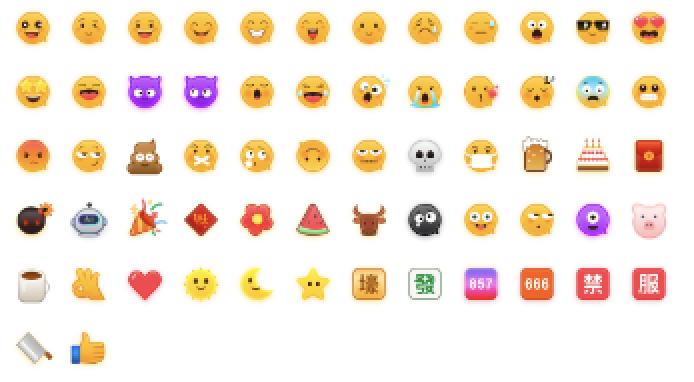
Note: In respect for the copyright of the emoji design, this project does not include the cutouts of large emoji elements. Please replace them with your own designed or copyrighted emoji packs before the official launch for commercial use. The default small yellow face emoji pack is copyrighted by Tencent Cloud and can be authorized for a fee. If you wish to obtain authorization, please Contact Us.

TUIKit_Android_Compose provides complete UI implementations for the following core business scenarios based on AtomicXCore:
-
Instant Messaging (Chat):
- Conversation Management: Support fetching and managing conversation lists.
- Message Sending/Receiving: Support C2C (one-to-one) and Group chat scenarios, with multiple message types including text, images, voice, video, files, etc.
- Message Interaction: Support quoting, forwarding, recalling, read receipts, reactions, and @mentions.
- AI Capabilities: Support voice-to-text, translation, and text-to-speech for messages.
- Search: Support searching messages, contacts, and groups.
- Contact Management: Support friend, friend request, and blacklist management.
- Group Management: Support group profile, group member, and group settings management.
-
Audio/Video Calling:
- Basic Calling: Support 1v1 and multi-party audio/video calls.
- Call Management: Support answering, rejecting, and hanging up calls.
- Device Management: Support camera and microphone control during calls.
- Call History: Support querying and deleting call records.
- Android Studio Ladybug or newer
- JDK 17
- An Android device or emulator running Android 6.0 (API level 23) or higher.
The Gradle Wrapper (Gradle 8.9) is included. The project uses Android Gradle Plugin 8.6.1 and Kotlin 2.0.21.
git clone https://github.com/Tencent-RTC/TUIKit_Android_Compose.git-
Log in to the Chat Console, create an application (or select an existing one), and note down its SDKAppID and SecretKey.
-
Open
chat/demo/app/src/main/java/io/trtc/tuikit/chat/signature/GenerateTestUserSig.javaand fill in both values:public static final int SDKAPPID = 1400000001; // your SDKAppID private static final String SECRETKEY = "your_secret_key"; // your SecretKey
Both values are intentionally left empty in this repository, so the demo will not compile until you fill them in.
The demo calculates
UserSigon the client only to keep the first run simple. A SecretKey shipped inside an APK can be extracted by decompiling it, so this method is only suitable for running the demo and debugging features. In production,UserSigmust be issued by your own server. For details, see How do I calculate UserSig on the server?
- Open the
chat/demodirectory in Android Studio and wait for the Gradle sync to complete. - Select the
apprun configuration and a device, then click Run.
To build from the command line:
cd chat/demo
./gradlew :app:assembleDebug
See the Chat Demo README for more about the demo.
The architecture design of TUIKit_Android_Compose follows layered principles:
-
TUIKit_Android_Compose (UI Layer):
- Provides pre-built, reusable UI components. The Chat components (
chat/uikit) are built with Jetpack Compose. - Audio/video calling is provided by TUICallKit (
call/tuicallkit-kt). It is implemented with Android Views, shared with TUIKit_Android, and integrated into the Compose demo. atomic_xis the base module shared with TUIKit_Android, providing theme tokens, permission requests, a floating window, and common utilities.- Subscribes to
StoreinAtomicXCoreto get state and update UI, and callsStoremethods to respond to user operations.
- Provides pre-built, reusable UI components. The Chat components (
-
AtomicXCore (Core Layer):
- Stores: (such as
ConversationListStore,MessageListStore,ContactStore,GroupStore) responsible for managing business logic and state. - Engine Wrapper: Encapsulates the underlying
IMSDK,TUICallEngine, andRTCRoomEngine, providing unified APIs.
- Stores: (such as
-
Tencent Cloud SDK (Engine Layer):
IMSDK: Provides instant messaging capabilities.TUICallEngine&RTCRoomEngine: Provide underlying real-time audio/video capabilities.
This project is licensed under the MIT License.
TUIKit_Android_Compose/
├── atomic_x/              # Base module shared with TUIKit_Android
├── call/
│   └── tuicallkit-kt/     # TUICallKit: audio/video calling UI
└── chat/
    ├── uikit/             # Chat UI components built with Jetpack Compose
    └── demo/              # Demo application (standalone Gradle project)
        ├── build.gradle.kts
        ├── settings.gradle.kts
        └── app/
chat/demo/settings.gradle.kts includes chat/uikit, atomic_x, and call/tuicallkit-kt as local modules. All other dependencies, such as IMSDK, AtomicXCore, RTCRoomEngine, and LiteAVSDK, are resolved from Maven.
We welcome contributions! Please see our Contributing Guide for details on how to submit pull requests, report issues, and contribute to the project.
- Fork the repository
- Create a feature branch (
git checkout -b feature/amazing-feature) - Make your changes following our CONTRIBUTING
- Add tests for your changes
- Ensure all tests pass and the demo builds
- Commit your changes (
git commit -m 'Add amazing feature') - Push to the branch (
git push origin feature/amazing-feature) - Open a Pull Request
- Issues: GitHub Issues
- Community: Tencent Cloud Developer Community
See CHANGELOG.md for a detailed history of changes to this project.
- Built with Tencent Cloud Chat and Tencent Cloud TRTC
- UI framework powered by Jetpack Compose