

Hints, grids and vim keys for your whole desktop. Free, open source, one binary, one TOML file.




| macOS 14+ | Linux (X11, Wayland) | Windows 10+ |
|---|---|---|
| Stable ✅ | Beta, daily 🔵 | Beta, daily 🔵 |
Beta means every option, flag and action already works. Stable comes after six clean releases. What the labels mean
neru-promo-v3-audio.mp4
Neru does what Vimium does in the browser, for every app, window, menu bar and dock item on your screen. Press a hotkey, type the label on the element you want, and the cursor jumps there and clicks.
- Works where accessibility trees don't. Grid modes split pixels, not widgets, so they work in canvases, games and remote desktops. Hints use the accessibility tree, on-device OCR, or a pure-Go contour scan.
- Fast. The event tap sits on every keystroke, and Neru treats any added latency as a bug.
- No per-app hacks. Good defaults, plus per-app overrides you write yourself, applied when focus changes.
- Scriptable. Hotkeys, the
neruCLI and the IPC socket run the same commands, so a binding works unchanged from skhd, Hammerspoon, Raycast or a shell script. - Private. OCR and element detection run on-device. No telemetry, no accounts, and typed text never reaches the log.
- Fails loudly. A mistyped flag in a binding fails config validation instead of doing nothing when you press the key.
# macOS / Linux
curl -fsSL https://raw.githubusercontent.com/y3owk1n/neru/main/scripts/install.sh | bash
# Windows
irm https://raw.githubusercontent.com/y3owk1n/neru/main/scripts/install.ps1 | iexRun it again to update. Homebrew, Nix, prebuilt binaries, building from source, agent skills and uninstalling are in Installation.
Run neru launch, grant the permissions neru doctor asks for, then press
Primary+Shift+Space for hints. The full first run, including Linux, is in
Getting started.
 Recursive Grid |
 Hints |
 Bisect |
 Grid |
| Mode | Default hotkey | How it works | Best for |
|---|---|---|---|
| Recursive Grid ⭐ | Primary+Shift+C |
Halve the screen with home-row keys until the cursor lands | Anything, including canvases and games |
| Bisect | Primary+Shift+B |
hjkl keep a half, yubn a quadrant, until the cursor lands |
Anything, without reading labels |
| Hints | Primary+Shift+Space |
Labels every target via accessibility tree, OCR or contour scan | Native apps, Electron, browsers, Figma |
| Grid | Primary+Shift+G |
Type a row and column label to jump to a cell | Coarse jumps across big monitors |
| Scroll | Primary+Shift+S |
j/k, u/d, gg/G, h/l in any scroll view |
Reading without lifting your hands |
| Monitor Select | unbound | Labels each display, type one to jump | Multi-monitor setups |
| Your own | unbound | A name, an indicator and a key table you declare in config | Window management layers, app-specific keys |
Primary is Cmd on macOS and Ctrl on Linux and Windows. Linux ships without these defaults so they never collide with terminal shortcuts. Every binding is remappable.
Every mode gives you left, right and middle click, double and triple click, drag with any button, held-key glide with acceleration, and sticky modifiers.
Everything is one TOML file. Apply edits with neru config reload, or change one value with neru config set.
[hotkeys]
"Primary+Shift+Space" = "hints --action left_click"   # click on select, Vimium style
"Primary+Shift+W" = "mode window"

[macros]
click_and_exit = ["action left_click --bail-on-error", "idle"]

[[hints.app_configs]]
bundle_id = "com.brave.Browser"   # bundle ID on macOS, WM_CLASS or app_id on Linux, exe path on Windows
hotkeys = { "Return" = "macro click_and_exit" }

[modes.window]
indicator = "Window"

[modes.window.hotkeys]
"h" = "exec yabai -m window --focus west"
"l" = "exec yabai -m window --focus east"
Every hotkey command is also a shell command:
neru hints --role button --text save   # only buttons whose text matches
neru run "action save_cursor_pos" "hints --action left_click" \
         "action wait_for_mode_exit" "action restore_cursor_pos"
neru config set hints.strategy contour
neru doctor                            # diagnose permissions and backends
Themes, indicators, smooth cursor and scroll, virtual pointer, app exclusions and screen-share hiding are options too.
Read the docs at neru.kylewong.my, or browse docs/ here on GitHub.
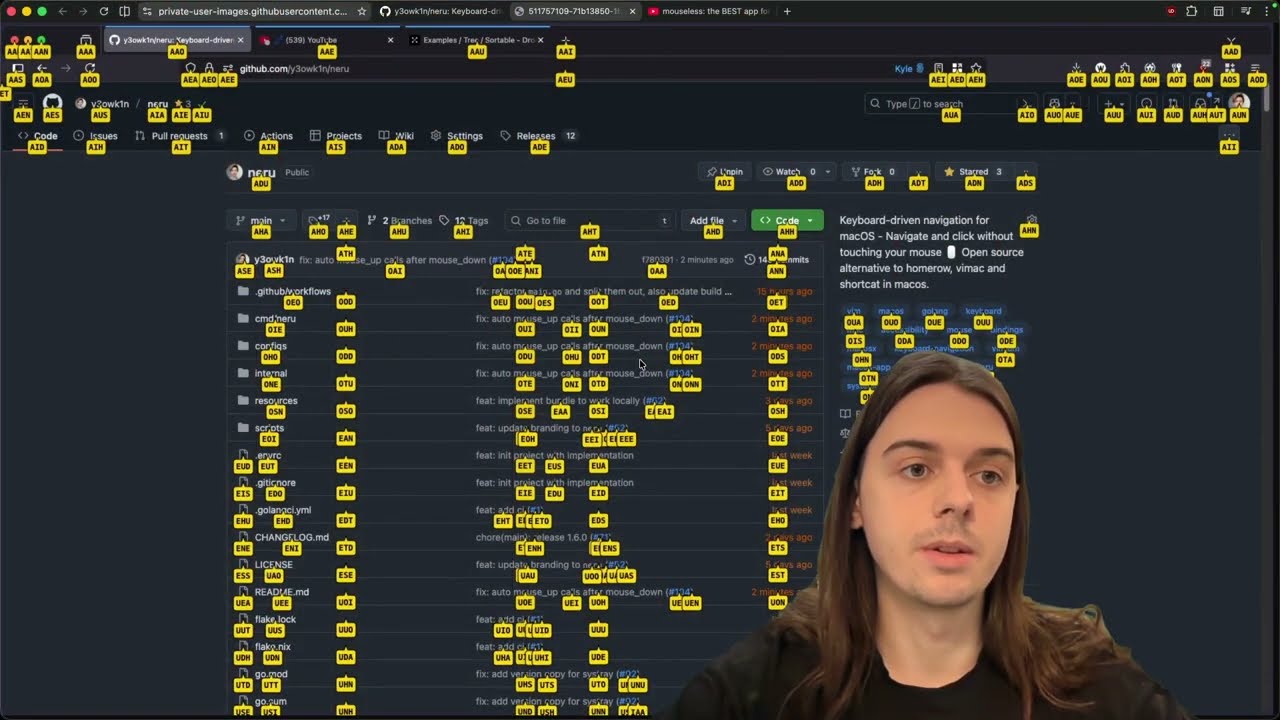
"neru: the ACTUAL BEST app for ditching mouse"
- Neru Dojo: a browser game to train recursive grid and hints.
- Community configs: setups shared by users.
- Discord: questions and setups.
Bug reports, especially on Linux and Windows, and pull requests are welcome. Start with CONTRIBUTING.md.
If Neru has earned a place in your workflow, sponsor it. Need only window management? mimi is Neru's window and space features as a standalone tool.
MIT. See LICENSE.
Made with ❤️ by y3owk1n